Finetune a model (WIP)
This guide explains how to initiate a finetuning task by syncing dataset events and creating the task in the finetuning interface.
Sync Dataset Events
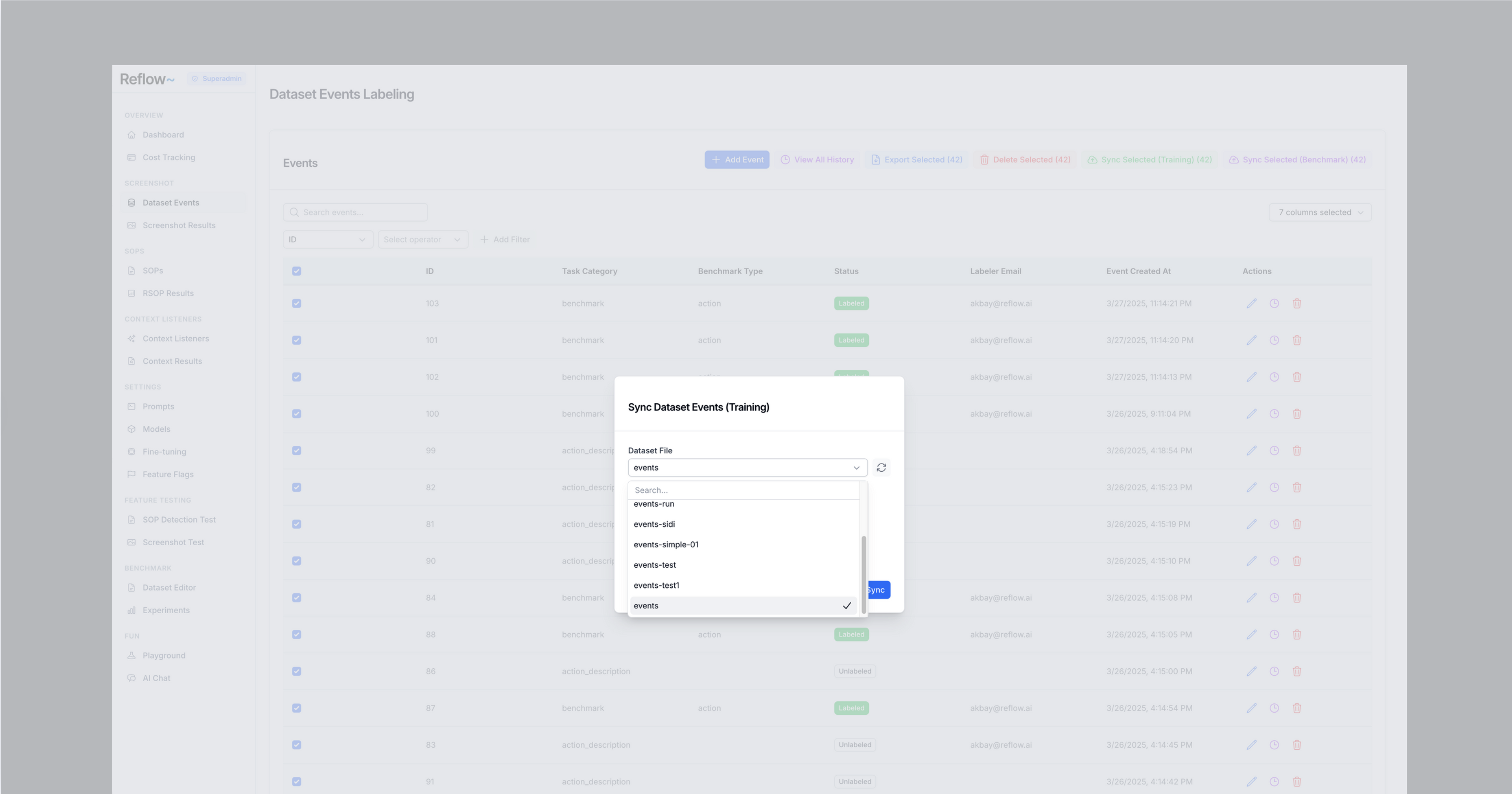
Before starting a finetuning task, ensure the dataset events are synced by selecting the events and specifying the dataset file.
Steps to Sync Dataset
- Click the checkbox to the left of the event items in the table to select them.
- Click the "Sync Dataset (Training)" button.
- Specify the dataset file by entering its name or selecting it from the available options.
- Choose whether to:
- Override the existing file (replacing it entirely).
- Append the new data to the existing file.
Create a Task
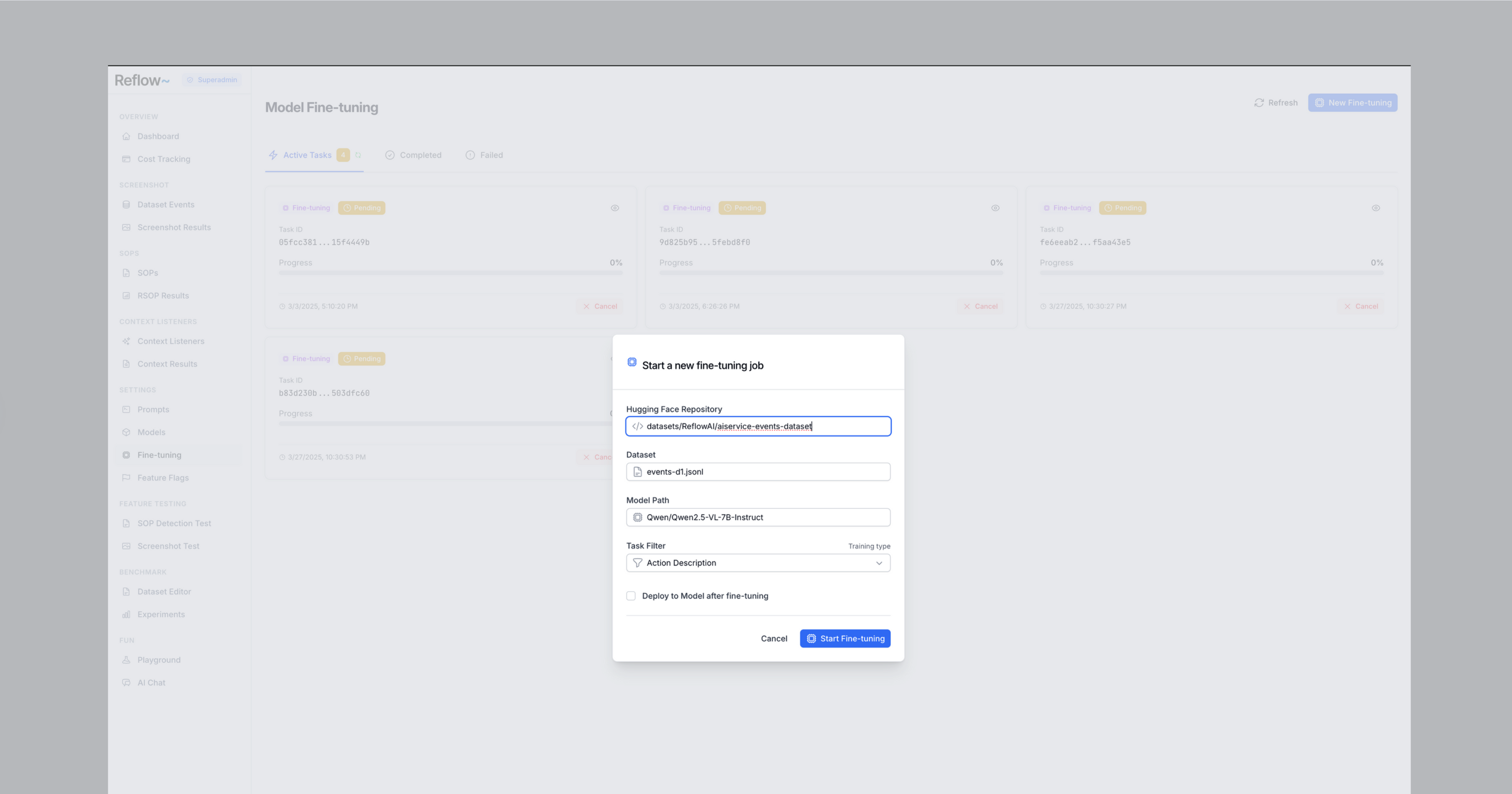
Once the dataset is synced, proceed to create the finetuning task.
Steps to Create a Task
- Navigate to the finetuning interface at:
https://finetune-staging.reflow.ai/finetune - Configure the task settings as needed (e.g., model selection, parameters).
- Submit the task to begin finetuning.