Data Preparation
This guide explains how to prepare dataset events for labeling by uploading screenshots from applications and processing them through the Labeling Interface.
Upload Events from Applications
Applications capture screenshots and send them to the finetuning API for collection. Once uploaded, these screenshots are available for labeling in the Labeling Interface. The API endpoint for this process is:
Steps to Upload Events
Follow these steps to upload events:
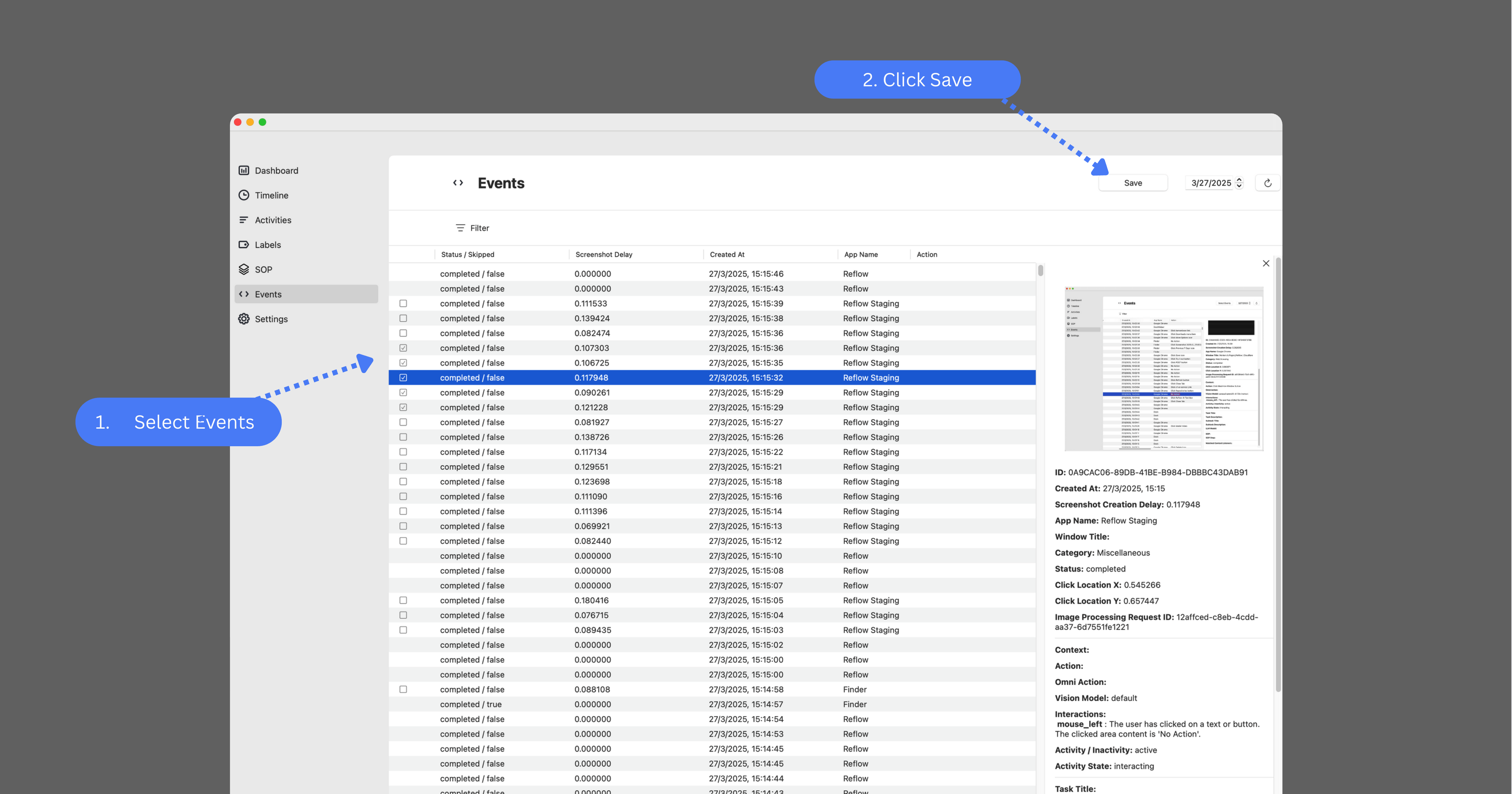
- Navigate to the "Events" section in the application interface.
- Click the "Select" button located in the top-right corner.
- Choose the specific events (screenshots) you want to upload.
- Click the "Save" button to transfer the selected events to the Labeling Interface.
Labeling Interface
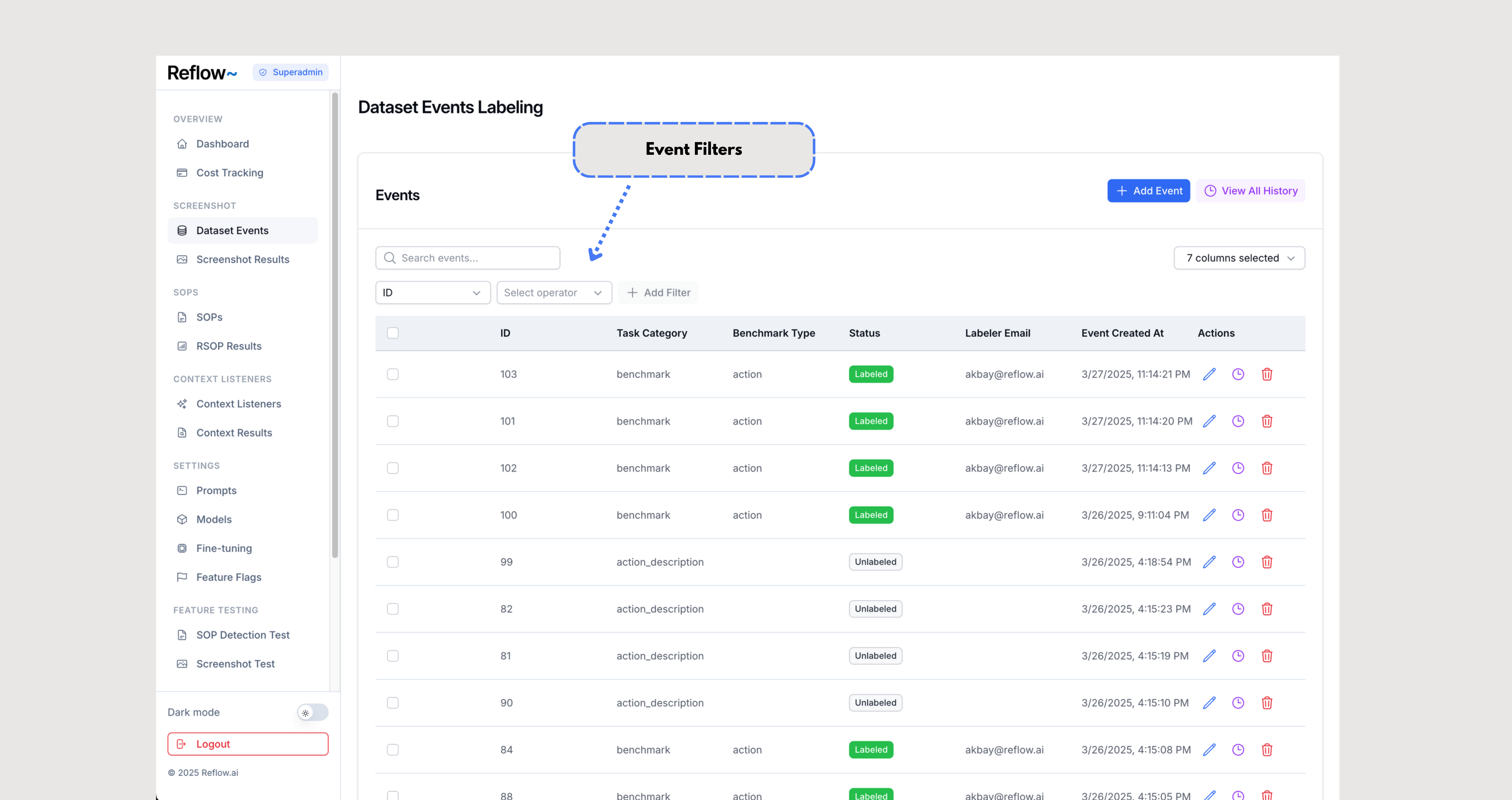
The Labeling Interface allows users to view, filter, and label the uploaded events. Events are displayed in a list and can be filtered based on their properties (e.g., date, type, or status). This helps labelers focus on specific events for further processing.
URL: https://finetune-staging.reflow.ai/dataset-events
- Use the filter options to narrow down the event list.
- Select an event to view its screenshot and associated details.